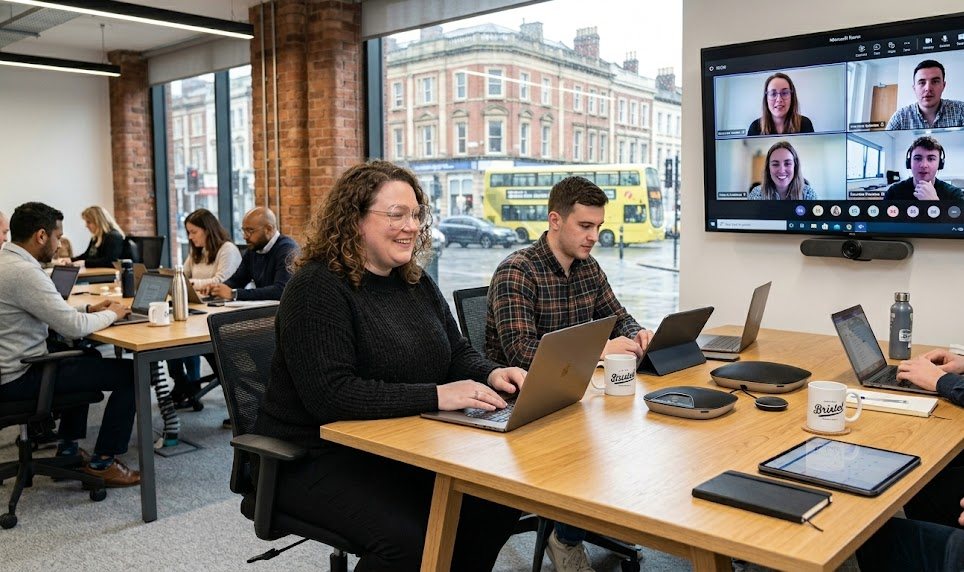
A great idea gets shared over coffee by the kettle. Three people in the office agree, and the choice is made. A remote colleague, working from a kitchen table in Leeds, hears about it two days later. This scenario is all too familiar.
This delay highlights proximity bias, which directly affects who gets seen, heard, and promoted. When conversations happen exclusively in hallways, remote employees miss out on critical updates and chances to advance.
The numbers support this concern. According to CIPD, 91% of UK employers now offer some form of flexible working, but access to it is still uneven across teams.
To overcome this challenge, teams need to design solutions intentionally rather than rely on individual efforts. The right technology here deters should promote fairness.
At Worklife Expo, we empower professionals and organisations to navigate the evolving landscape of modern work through actionable insights and smart cultural strategies.
The Cost of Proximity Bias
When people are not seen regularly, they can easily be forgotten. A manager who sees an employee every day tends to have a more positive view of their work. Meanwhile, someone working from home may be judged based on assumptions rather than their actual results.
A 2026 Workplace Journal report found that 94% of business leaders are more likely to recognise contributions from employees who are physically present in the office. This bias impacts salary and career advancement, making hybrid workers significantly less likely to receive promotions.
These assumptions can lead to problems. They can result in missed promotions, stalled projects, and growing resentment. Good employees may choose to leave. The solution isn’t having more meetings. The solution is to share clear information that everyone can access simultaneously.
Async Communication Tools for Hybrid Teams
Async communication tools create equal opportunities. They include shared channels, recorded updates, and written threads that everyone can read when it suits them.
A decision posted in a channel can reach a parent on the school run or an early riser at 7am, no matter where they are. This way, no one has to depend on being in the same place at the same time.
Tools such as Slack or Microsoft Teams keep communication clear, easy to find, and accessible to everyone. Office chatter transforms into a digital record that all employees can access.
Transparent Project Management Software
Using transparent project management software helps everyone understand daily tasks. Boards, task lists, and status updates show the whole team what is moving forward and what is stuck.
Tools like Asana, Trello, or Monday offer one clear source of information. A teammate in Bristol sees the same project dashboard as the team leader in London. Credit is given for actual work, not for location. Progress is evident, so contributions are more important than mere presence.
Objective Performance Tracking Tools
Tracking performance should focus on results. Set clear goals and monitor progress toward them. Evaluate the work done, not just a name with a green dot.
This method reduces bias in evaluations. A finished project speaks for itself, regardless of who completed it. Use simple goal-setting tools like Workboard alongside regular written feedback. In this way, managers keep an accurate record, and workers have a clear path for growth.
For a clearer understanding, take a look at this guide on performance development in a remote and hybrid workspace.
Avoiding Invasive Employee Surveillance
Some vendors sell tools that track keystrokes and capture webcam images. Don’t use them. Watching employees work closely undermines their morale and suggests you do not trust them.
Trust is the key to a strong hybrid work culture. Focus on what people achieve, not how long they sit in front of a screen. When staff feel monitored, they become less engaged, and your top talent may start looking for new jobs.
For a visual representation, check out this guide that discusses the ethical issues and psychological effects of monitoring employees in remote teams.
Key Characteristics of Equitable Software
Use this checklist when evaluating potential software tools. An equitable tool should:
- Give all team members equal access, no matter where they are
- Clearly document decisions for future reference
- Show progress openly so everyone’s contributions are visible
- Focus on outcomes and goals instead of hours worked
- Work well on phones, laptops, and for different time zones
- Protect privacy and avoid invasive monitoring features
Conclusion
Relying only on software won’t create real fairness in your workplace; the culture you build matters more. To address proximity bias, focus on tools that ensure remote team members are as visible and engaged as their in-office counterparts.
Start by reviewing current organisational tools to make sure they support inclusivity and teamwork. Open a dialogue with the team about what’s hitting the mark and what needs improvement.
This intentional approach cultivates an environment where everyone feels valued and connected, regardless of their workspace. Consistent communication and the right tech stack ensure collaboration remains seamless and equitable for all.Ready to build a fairer hybrid culture? Contact us at Worklife Expo to get started.